GPUSmith Article
Slurm vs Kubernetes for Private GPU Clusters
Slurm or Kubernetes for a private GPU cluster? Gang scheduling, topology, GPU accounting, fair share, inference and ops compared, as of October 2026.
Summary
- 01Choose by workload mix and operator skill: Slurm provides batch allocation, while Kubernetes provides service lifecycle management.
- 02Large synchronous training needs all ranks allocated together inside the right topology; inference needs rollouts, health checks, autoscaling and service discovery.
- 03Free GPUs do not guarantee a schedulable job: fragmentation can leave no complete NVLink domain available even when most cluster capacity is free.
- 04Slurm's default CPU-based billing can make fair share almost blind to GPUs; TRES billing weights define the GPU budget policy.
- 05Kubernetes DRA does not support resource preemption, so test whether inference surges can reclaim devices from training.
Inside this article
- 01The real question: batch allocator or service orchestrator
- 02How Slurm schedules GPUs
- 03How Kubernetes schedules GPUs
- 04Fair share, preemption and GPU accounting
- 05Training vs inference: where each one fits
- 06Slurm-on-Kubernetes hybrids
- 07Operations: skills and failure modes
- 08Decision table by workload mix
- 09FAQ
- 10Sources
The real question: batch allocator or service orchestrator
Slurm is a batch workload manager: jobs ask for nodes, cores, memory and GPUs for a bounded time, and the scheduler decides who runs next by priority, fair share and topology. Kubernetes is a container orchestrator: it keeps a declared set of Pods running, restarts them, rolls them forward and exposes them as services. Its batch capabilities (gang admission, quotas, fair sharing) come from add-ons such as Kueue and Volcano, and only since 2026 from a Beta core feature.
The useful question is "what is the workload mix, and who will operate it". Large synchronous training wants Slurm-style allocation: whole nodes, all ranks at once, inside one network or NVLink domain, with per-group accounting. Production inference wants Kubernetes-style lifecycle management: rollouts, health checks, autoscaling, service discovery. Many sites end up running both, either as two clusters or as one of the Slurm-on-Kubernetes hybrids described below.
Versions this article was checked against (as of 2026-10-28)
| Component | Current release | Date | Source |
|---|---|---|---|
| Slurm | 26.05 major release; 26.05.5 latest patch | 26.05 announced 2026-05-26; 26.05.5 announced 2026-10-13 | 26.05 announcement, 26.05.5 announcement |
| Slurm (previous series) | 25.11.8 | tagged 2026-09-02 | SchedMD/slurm tags |
| Kubernetes | 1.37 ("Garhwal"); 1.37.1 latest patch | 1.37 released 2026-08-26 | Kubernetes v1.37 release post, kubernetes.io releases |
| Kubernetes support window | 1.37, 1.36, 1.35 maintained; 1.34 end of life 2026-10-27 | as listed 2026-10-28 | kubernetes.io releases |
| Kueue | v0.20.3 | 2026-10-22 | Kueue releases |
On 2025-12-15 NVIDIA announced it had acquired SchedMD, the main Slurm developer, and stated it "will continue to develop and distribute Slurm as open-source, vendor-neutral software" [1]. That is a company statement, not a contractual commitment.
How Slurm schedules GPUs
Slurm models GPUs as generic resources (GRES). By default no GRES are enabled; an administrator declares them with GresTypes and per-node Gres= entries in slurm.conf, and describes the devices in gres.conf on each node [2]. A minimal NVIDIA node looks like this:
# slurm.conf
GresTypes=gpu
NodeName=gpu[01-16] Gres=gpu:h100:8 CPUs=112 RealMemory=2000000
SelectType=select/cons_tres

# gres.conf on each node
AutoDetect=nvml
Three details from the GRES guide cause most first-week tickets:
- AutoDetect does not replace the slurm.conf line. With
AutoDetect=nvml, details are filled in for detected GPUs, but "the Gres= line in slurm.conf is still required in order to tell slurmctld how many GRES to expect" [2]. AMD GPUs useAutoDetect=rsmi, Intel usesAutoDetect=oneapi, and Slurm 26.05 addedAutoDetect=fullto try every autodetection type at slurmd start [3]. - Type names must match. The type in
gres.conf"must either exactly match or be a substring of the GPU name reported by slurmd", with spaces replaced by underscores [2]. - Under-reporting nodes drain. Nodes found to have fewer resources than configured are placed in a DRAIN state, which is right when a GPU falls off the bus and confusing when the config is simply wrong.
Isolation comes from Linux cgroups: Slurm sets CUDA_VISIBLE_DEVICES per job step and, when cgroup device constraint is configured, hides the other device files from the job [2].
Topology-aware placement in Slurm
topology/tree finds the lowest switch level that can satisfy a job and allocates under it. topology/block places jobs within "a strictly enforced, hierarchical block structure" and "prioritizes the placement of jobs to minimize fragmentation across the cluster", with enforceable sizes set by BlockSizes [4]. NVIDIA describes the block plugin, introduced in Slurm 23.11, as designed to "align Slurm jobs with NVL72 domain boundaries" (NVIDIA technical blog, 2026-05-21). Jobs can request a --segment size so that an allocation is built from fixed-size pieces, each kept inside one block.
Since Slurm 25.05, several topologies can be defined in topology.yaml and assigned per partition, and 26.05 adds topology/ring and topology/torus3d [4].
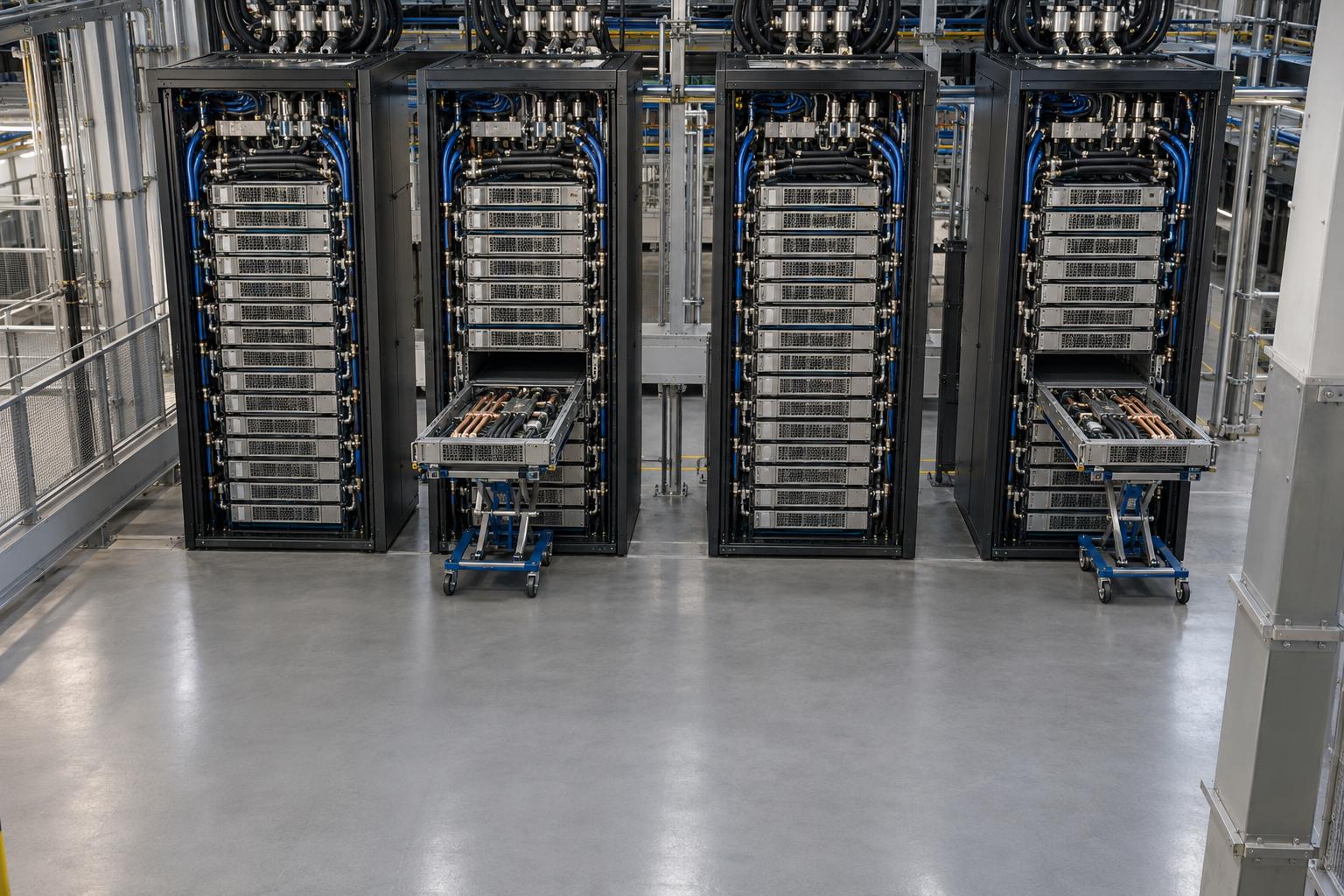
Worked example (illustrative): why topology turns into a capacity question. Assume four GB200 NVL72 racks, each exposed to Slurm as one block of 18 nodes with 4 GPUs per node (72 GPUs per rack), and a job that needs a full 18-node NVLink domain.
- Total: 4 racks × 18 nodes = 72 nodes = 288 GPUs.
- Small jobs and two failed trays leave 2 nodes busy or drained in every rack.
- Free capacity: 4 × 16 = 64 nodes = 256 GPUs, or 89% of the cluster.
- Schedulable 18-node blocks: 0. The job waits.
Any scheduler that honours the NVLink domain behaves this way; they differ in how well they prevent the fragmentation. Slurm's block plugin and Exclusive=TOPO partitions (26.05 consolidated partition exclusivity into Exclusive=[NO|NODE|USER|TOPO], per the 26.05 release notes) are designed for this. Rank-to-GPU-to-NIC binding inside the allocation is a separate problem, covered in GPU, CPU and NIC affinity for rank binding.
GPU sharing in Slurm
Slurm offers three ways to put more than one job on a GPU [2]:
| Mechanism | What Slurm does | Isolation |
|---|---|---|
| MIG | Treats each MIG instance as a GPU; "up to seven separate, isolated GPU instances" per GPU | Hardware-isolated; the sanity-check AutoDetect mode is not supported for MIG |
gres/mps | Allocates a percentage of a GPU via CUDA MPS; requires select/cons_tres | Shared process space; only one user per system may have an active MPS server; a GPU is allocated as gpu or mps, not both |
gres/shard | Lets several jobs share a GPU | "does not fence the processes running on the GPU, it only allows the GPU to be shared" |
The trade-offs between the three are the same as on Kubernetes; see MIG vs MPS vs time-slicing.
Containers in Slurm: pyxis and enroot
Slurm has native support for unprivileged OCI containers through oci.conf and a --container option on srun, salloc and sbatch [5]. On GPU clusters the more common path is NVIDIA's pyxis, a SPANK plugin that "allows unprivileged cluster users to run containerized tasks through the srun command", adding options such as --container-image; it requires enroot version 3.1.0 [6]. Two cautions from SchedMD's own guide: sites using a container SPANK plugin should not also configure oci.conf, and third-party projects such as enroot/pyxis, Shifter and Sarus "have not been tested or validated by SchedMD" [5]. In practice a pyxis job looks like:
srun -N 4 --gpus-per-node=8 --container-image=nvcr.io#nvidia/pytorch:<tag> \
     --container-mounts=/lustre:/lustre python train.py
Slurm still owns allocation, ordering and accounting; the container is only the runtime environment.
How Kubernetes schedules GPUs
Kubernetes has two device models. The older one is the device plugin: "Kubernetes includes stable support for managing AMD and NVIDIA GPUs ... using device plugins", stable since v1.26, with GPUs requested as integer extended resources in limits [7]. Extended resources cannot be overcommitted, and namespace quotas on them use the requests. prefix, e.g. requests.nvidia.com/gpu [8].
The newer model is Dynamic Resource Allocation (DRA): drivers publish ResourceSlices, administrators define DeviceClasses, and workloads claim devices by attribute through ResourceClaims. The documentation marks DRA "Stable since Kubernetes v1.35" and locked on [9]). In 1.37, DRA Extended Resource support reached Stable, so a DRA driver can satisfy a classic example.com/gpu: 3 request without a separate device plugin, and device taints and tolerations also reached Stable ([10][11].
One DRA limitation matters for mixed GPU clusters: "The Kubernetes scheduler doesn't support preemption for DRA resources", so a high-priority Pod that needs DRA devices stays pending until the device frees up [9]. If inference surges are meant to evict training, test that path. Driver and operator upgrade sequencing for DRA is covered in the GPU Operator and DRA upgrade gate.
Gang scheduling and topology on Kubernetes
The default kube-scheduler places Pods one at a time, so a 64-Pod training job can hold GPUs with 60 Pods while the last 4 wait. Three mechanisms prevent this:
- Native gang scheduling. Since 1.37, gang scheduling through the Workload and PodGroup APIs is Beta: "If the cluster cannot accommodate the entire group (or a defined minimum number of Pods, specified by
minCount), none of the Pods are bound to a node." It is disabled by default behind theGenericWorkloadgate [12]. Our Kubernetes 1.37 gang scheduling analysis covers the gates and the acceptance tests. - Kueue. Kueue is "a kubernetes-native system that manages quotas and how jobs consume them"; it decides when a job is admitted, waits or is preempted, offers "a timeout-based implementation of All-or-nothing scheduling", and integrates with Job, JobSet, LeaderWorkerSet, MPIJob, RayJob/RayCluster, Deployments, StatefulSets and plain Pods [13]. Its Topology Aware Scheduling is Beta and enabled by default since v0.14: a
Topologyobject defines levels such as block and rack, and a PodSet annotation requires or prefers all Pods inside one domain [14]. TAS awareness of DRA devices is still Alpha (since v0.20, off by default). - Volcano. Volcano is a CNCF batch scheduler that replaces kube-scheduler for the workloads it manages. Its gang policy starts all tasks of a job together, its queues carry CPU, memory and GPU quotas with "resource borrowing, reclaiming and preemption between queues", and it offers network-topology-aware scheduling and CUDA and MIG GPU-sharing modes [15].
The workload APIs matter as much as the scheduler. JobSet manages "a group of k8s Jobs as a unit" for training and HPC, with exclusive placement of each child job in a topology domain and whole-JobSet recreation on failure [16]. LeaderWorkerSet targets multi-host inference, treating each leader-plus-workers group as one unit for rolling update and scaling, with optional all-or-nothing restart and co-location [17].
Kueue (admission and quota, kube-scheduler still places Pods) and Volcano (a separate scheduler with its own queues) overlap; pick one policy layer per node pool.
Slurm still owns allocation, ordering and accounting; the container is only the runtime environment.
Fair share, preemption and GPU accounting
Slurm. The multifactor priority plugin combines nine factors (age, association, fair-share, job size, nice, partition, QOS, site and TRES) [18]. Fair Tree, the default fair-share algorithm since 19.05, guarantees that if account A outranks sibling B, "all children of A will have higher fairshare factors than all children of B" [19]. Historical usage decays with PriorityDecayHalfLife, default 7 days. GPU usage is recorded through TRES: add gres/gpu (and typed variants such as gres/gpu:h100) to AccountingStorageTRES, and SchedMD recommends including the generic type alongside subtypes so untyped requests are still counted [20]. Slurm 26.05 also added GPU allocation statistics to its OpenMetrics (Prometheus) endpoints [3].
The trap: "By default, jobs are billed against the total number of allocated CPUs", i.e. TRESBillingWeights="CPU=1" [20]. On a GPU cluster that default makes fair share almost blind to GPUs.
Worked example (illustrative weights). Two 10-hour jobs (36,000 s) in one partition:
- Job A: 8 GPUs, 64 CPUs, 1,024 GiB.
- Job B: 0 GPUs, 64 CPUs, 256 GiB (data preprocessing).
With the default CPU=1, both bill 64 units/s × 36,000 s = 2,304,000. Fair share treats them as identical even though A held eight GPUs.
With TRESBillingWeights="CPU=1.0,Mem=0.25G,GRES/gpu=32" (the syntax used in the TRES documentation; the weight of 32 is our assumption):
- A: 64×1.0 + 1,024×0.25 + 8×32 = 64 + 256 + 256 = 576 units/s → 20,736,000.
- B: 64×1.0 + 256×0.25 + 0 = 128 units/s → 4,608,000.
Job A now costs 4.5× job B in fair-share terms. PriorityFlags=MAX_TRES switches billing to the maximum of the node-bound TRES rather than their sum [20]. The weights are your GPU budget policy.
Preemption is configured with PreemptType=preempt/partition_prio or preempt/qos, and PreemptMode CANCEL, REQUEUE, SUSPEND or GANG, with an optional GraceTime (default zero) for checkpointing [21]. SUSPEND leaves memory allocated on the node; for GPU training, REQUEUE combined with application checkpointing is the usual pattern.
Kubernetes. Core Kubernetes has priority classes, preemption and namespace ResourceQuota, but no job-level usage ledger or decayed fair share. Kueue supplies quotas, cohorts, fair sharing and preemption policies between tenants [13]; Volcano supplies queue quotas with borrowing and reclaim [15]. Per-team GPU-hour accounting is usually built from Prometheus metrics (for example DCGM exporter series joined to Pod labels); Slurm ships it as sacct and sreport.
Training vs inference: where each one fits
Large synchronous training needs all ranks placed at once in the right topology, held for days, and restarted from checkpoint on failure. Slurm does this natively with sbatch/srun, block topology and requeue. Kubernetes does it with JobSet or a training operator, plus a gang mechanism (Kueue, Volcano or native PodGroups) and a topology mechanism (Kueue TAS, Volcano network topology, or the Alpha native topology-aware workload scheduling). That works, with more moving parts to version and upgrade together.
Inference serving is long-running, latency-sensitive and elastic. Kubernetes has the primitives: Deployments and rolling updates, readiness probes, Services, LeaderWorkerSet for multi-host model replicas, and the HorizontalPodAutoscaler, whose scale-to-zero for object and external metrics is Beta and enabled by default in 1.37 [10]. Slurm can run an inference server as a long job, but rollout, health-based restart, load balancing and autoscaling are left to you (our assessment; we found no Slurm documentation positioning it as a service platform).
Interactive research work fits either: Slurm's salloc and job arrays suit researchers who know them; Kubernetes suits work that arrives as containers from CI or notebook platforms.
Slurm-on-Kubernetes hybrids
Two hybrids are documented by their vendors:
- Slinky (SchedMD). "A set of powerful integration tools designed to bring Slurm's capabilities into Kubernetes" [22]. Its
slurm-operatorruns Slurm clusters on Kubernetes (Apache 2.0; release series 1.0.x to 1.3.x require Slurm 25.11 or later [23]), andslurm-bridge"contains a Kubernetes scheduler to manage select workloads from Kubernetes", so Kubernetes and Slurm workloads can run side by side on the same nodes. - CoreWeave SUNK. "CoreWeave's system for running Slurm on Kubernetes", in which Slurm nodes run as Pods running
slurmdon CoreWeave Kubernetes Service, so "one pool of compute serves batch training jobs through Slurm and long-running or bursty services through Kubernetes" [24]. It is a CoreWeave cloud product, not a private-cluster install.
Hybrids keep Slurm's user experience and accounting while sharing hardware with Kubernetes services, at the cost of operating both systems plus the glue. The simpler alternative is two hardware pools, Slurm for training and Kubernetes for inference, with nodes moved between them at a planned cadence.
Operations: skills and failure modes
| Area | Slurm | Kubernetes |
|---|---|---|
| Core skills | Linux/HPC admin, slurmdbd and MariaDB/MySQL, munge, cgroups, MPI/PMIx | Kubernetes control plane, CNI, operators, Helm/GitOps, RBAC |
| GPU stack | Driver + NVML/RSMI on hosts; pyxis/enroot | GPU Operator or device plugin / DRA driver, container toolkit |
| Release cadence | Major releases twice a year (25.05, 25.11, 26.05 in the tag history) | Release branches kept for the three most recent minors, about 1 year of patch support each [25] |
| Batch policy | Built in (priority, fair share, QOS, preemption, accounting) | Add-on (Kueue or Volcano), versioned separately |
| Typical failure | Misconfigured GRES draining nodes; slurmdbd outage blocking accounting | Partial gangs; scheduler/admission conflicts; operator version skew |
| Observability | sacct, sreport, sdiag; OpenMetrics endpoints in 26.05 | Prometheus, kube-state-metrics, DCGM exporter; accounting built by you |
Kubernetes 1.34 reached end of life on 2026-10-27, so a cluster installed on it a year ago is already out of support. Whichever you choose, acceptance testing should include a full-cluster gang job, a fragmentation scenario like the one above, and a preemption drill.
Decision table by workload mix
| Workload mix | Start with | Why | Watch for |
|---|---|---|---|
| Mostly multi-node training, one or a few research groups | Slurm (+ pyxis/enroot) | Native gang allocation, block/tree topology, fair share and GPU accounting with little extra software | Billing weights left at CPU=1; no service layer for demos or eval endpoints |
| Mostly inference, few or no multi-node jobs | Kubernetes | Rollouts, autoscaling, services, LWS for multi-host replicas | MIG/sharing policy; DRA has no preemption |
| Many tenants, multi-node training plus shared evaluation services | Kubernetes + Kueue (or Volcano) with JobSet, or Slurm plus a small separate Kubernetes cluster | Either quota/admission layer on Kubernetes, or Slurm's mature fair share with services split out | Two policy layers on the same nodes; quota design |
| Training and inference must share one GPU pool | A Slurm-on-Kubernetes hybrid (Slinky) or Kubernetes with Kueue preemption | Avoids idle reserved inference capacity | Highest operational complexity; test preemption paths |
| Rack-scale NVLink systems (NVL72-class) | Slurm topology/block, or Kubernetes with tested topology-aware placement | Jobs must stay inside NVLink domains | Fragmentation; plan capacity around the largest gang |
| Team already runs one platform well | That platform | Operator skill beats feature checklists | Do not stand up a second system for one workload type |
FAQ
Can Kubernetes do gang scheduling without add-ons? Yes, since 1.37, as a Beta feature that is disabled by default [12]. It gives all-or-nothing placement but no quotas or fair share; those still come from Kueue or Volcano.
Is Slurm still open source after the NVIDIA acquisition? NVIDIA stated on 2025-12-15 that it will keep Slurm open source and vendor-neutral [1]. Re-check that before signing a multi-year support contract.
If you want a second opinion on a scheduler decision tied to a specific hardware design, GPU Smith takes engagements at gpusmith.com/contact.
Sources
- Slurm Generic Resource (GRES) Scheduling — SchedMD, Slurm 26.05 docs, accessed 2026-10-28
- Slurm Topology Guide — SchedMD, Slurm 26.05 docs, accessed 2026-10-28
- Slurm 26.05 Release Notes — SchedMD, accessed 2026-10-28
- Slurm version 26.05 is now available — slurm-users mailing list, 2026-05-26, accessed 2026-10-28
- Slurm version 26.05.5 is now available — slurm-announce mailing list, 2026-10-13, accessed 2026-10-28
- SchedMD/slurm tags — GitHub, accessed 2026-10-28
- Slurm Fair Tree Fairshare Algorithm — SchedMD, accessed 2026-10-28
- Slurm Multifactor Priority Plugin — SchedMD, accessed 2026-10-28
- Slurm Trackable RESources (TRES) — SchedMD, accessed 2026-10-28
- Slurm Preemption — SchedMD, accessed 2026-10-28
- Slurm Containers Guide — SchedMD, accessed 2026-10-28
- NVIDIA pyxis — NVIDIA, GitHub, accessed 2026-10-28
- Unlock Exascale Performance on NVIDIA GB200 NVL72 with Slurm Topology-Aware Job Scheduling — NVIDIA Technical Blog, 2026-05-21, accessed 2026-10-28
- NVIDIA Acquires Open-Source Workload Management Provider SchedMD — NVIDIA, 2025-12-15, accessed 2026-10-28
- Slinky — SchedMD, accessed 2026-10-28
- slurm-operator — SlinkyProject, GitHub, accessed 2026-10-28
- SUNK (Slurm on Kubernetes) — CoreWeave, accessed 2026-10-28
- Kubernetes Releases — Kubernetes, accessed 2026-10-28
- Kubernetes v1.37: Garhwal — Kubernetes blog, 2026-08-26, accessed 2026-10-28
- Kubernetes v1.37: DRA Updates — Kubernetes blog, 2026-09-03, accessed 2026-10-28
- Schedule GPUs — Kubernetes documentation, accessed 2026-10-28
- Dynamic Resource Allocation — Kubernetes documentation, accessed 2026-10-28
- Gang Scheduling — Kubernetes documentation, accessed 2026-10-28
- Resource Quotas — Kubernetes documentation, accessed 2026-10-28
- Kueue Overview — Kubernetes SIGs, accessed 2026-10-28
- Kueue Topology Aware Scheduling — Kubernetes SIGs, accessed 2026-10-28
- Kueue Releases — GitHub, accessed 2026-10-28
- JobSet Overview — Kubernetes SIGs, accessed 2026-10-28
- LeaderWorkerSet Overview — Kubernetes SIGs, accessed 2026-10-28
- Volcano Documentation — Volcano (CNCF), accessed 2026-10-28
External Sources (25)
About
GPUSmith
Plan and build private AI compute with GPU Smith. We connect workload requirements with GPU hardware, networking, deployment and operating decisions so your infrastructure fits the work it must perform.
GPU Smith provides independent engineering and research for private AI infrastructure. We help technical buyers and operators reason about GPU workload sizing, hardware selection, procurement, deployment and inference operations, from the compute system to the networking, power and cooling requirements around it.
Start with the workload
Useful infrastructure decisions begin with the models, data, throughput, latency and operating constraints a team actually has. GPU Smith helps connect those requirements with system design and deployment choices. The goal is a privately controlled AI environment whose capacity and operational demands are understood before a purchasing decision.
Hardware and supplier research
Our public reference library covers GPUs, complete systems and networking components. The server-vendor directory and manufacturing research help teams investigate suppliers, compare options and follow sources behind technical claims. We distinguish manufacturer specifications from measured benchmarks and advertised capabilities from tested configurations. Reference pages are research resources, not a live inventory listing or a binding equipment quote.
Deployment and operations
GPU Smith's engineering scope includes infrastructure integration, networking, power, cooling and the practical operation of inference workloads. Our published articles explain the tradeoffs behind deployment, procurement and ongoing operations so teams can ask better questions and document decisions.
Work with GPU Smith
Explore the hardware library, GPU references, networking references and vendor research. Contact GPU Smith with your workloads and deployment constraints to discuss a project and confirm current scope, pricing and availability.
Inclusion of a manufacturer or product in our research does not imply a partnership, certification or endorsement.
Disclaimer
This document is provided for informational purposes only. No representations or warranties are made regarding the accuracy, completeness, or reliability of its contents. Any use of this information is at your own risk. GPUSmith shall not be liable for any damages arising from the use of this document. This content was generated with assistance from artificial intelligence tools, which may contain errors or inaccuracies. Readers should verify critical information independently. All product names, trademarks, and registered trademarks mentioned are property of their respective owners and are used for identification purposes only. Use of these names does not imply endorsement. This document does not constitute professional or legal advice. For specific guidance related to your needs, please consult qualified professionals.