GPUSmith Article
Topology-Aware GPU Scheduling: ComputeDomains on NVL72
How to keep jobs inside one NVLink partition on GB200/GB300 NVL72: ComputeDomains, IMEX, clique labels, Kueue TAS and Slurm blocks, as of October 2026.
Summary
- 01Multi-node NVLink jobs need both placement inside one NVLink partition and a shared ComputeDomain. Counting free GPUs per node does not ensure that trays share an NVLink fabric.
- 02The scheduler chooses nodes; the ComputeDomain then forms an IMEX domain around them. For multi-tenant racks, the isolation boundary is the Kubernetes namespace plus RBAC.
- 03Kubernetes minimums depend on the installation path. Operator-managed ComputeDomains require GPUCluster, and there is no in-place migration from ClusterPolicy to GPUCluster.
- 04Kueue TAS can admit a whole PodSet into one topology domain, but it does not see DRA devices by default. On a pure GPUCluster cluster, test whether TAS is counting GPUs before trusting placement.
- 05Partial-tray ComputeDomains can strand GPUs. Size multi-node NVLink jobs in whole trays, and test spare-capacity reclamation because the Kubernetes scheduler does not preempt pods holding DRA resources.
Inside this article
- 01Why NVLink domains break node-level scheduling
- 02Hardware shape: trays, domains, partitions and cliques
- 03IMEX in plain language
- 04ComputeDomain: reachability that follows the workload
- 05Kubernetes and driver prerequisites: why the minimums disagree
- 06Walkthrough: the upstream manifest pattern
- 07Rack-aware queueing with Kueue TAS
- 08Slurm: NVLink partitions as blocks
- 09Run:ai-style automation
- 10Failure and fragmentation: the arithmetic
- 11Rollout checklist
Why NVLink domains break node-level scheduling
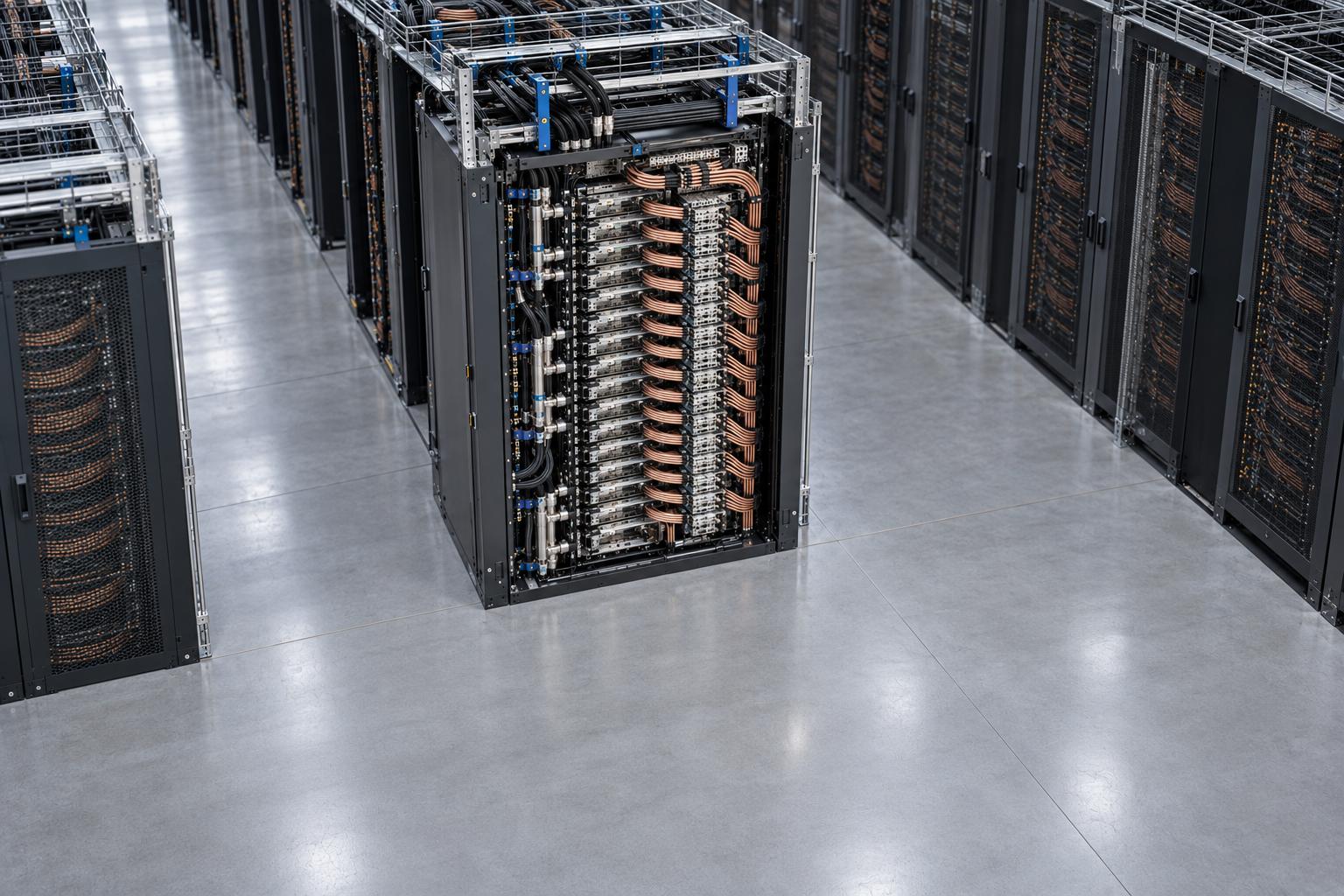
On a GB200 or GB300 NVL72 rack, the unit of fast communication is no longer the server. It is the NVLink partition, which can cover up to 18 compute trays and 72 GPUs. A scheduler that only counts free GPUs per node can scatter a 16-GPU job across trays that share no NVLink fabric, and the job then runs over the scale-out network or fails. The fix has two parts, and you need both. Placement has to be constrained to one NVLink partition, using the nvidia.com/gpu.clique label in Kubernetes or a block per partition in Slurm. Then every pod of the job has to join the same ComputeDomain, so the DRA Driver for NVIDIA GPUs can set up the IMEX daemons and channels that make cross-node GPU memory sharing work.
This article covers the design side: identifiers, ComputeDomain guarantees, how Kueue Topology Aware Scheduling (TAS) and Slurm topology/block express "stay inside one partition", and where fragmentation and failures bite. For the GPU Operator 26.7 and Kubernetes 1.37 upgrade sequence, use the separate GPU Operator DRA upgrade gate.
Hardware shape: trays, domains, partitions and cliques
NVIDIA's IMEX guide describes the single-rack, 72-GPU GB200 configuration as 18 1RU compute trays, each with two Grace CPUs and four Blackwell GPUs, plus nine NVLink switch trays. It also documents a 36-GPU single-rack variant and a 72-GPU two-rack variant [1]. NVIDIA describes GB200 NVL72 and GB300 NVL72 alike as "18 tightly coupled compute trays" [2]. The full 72-GPU mesh is specified at 1.8 TB/s chip-to-chip and "over 130 TB/s cumulative bandwidth" [3]. These are vendor specifications, not measured results.
The software stack sees this topology through two identifiers [2]:
| Concept | Identifier | Scope on NVL72 | Scheduling meaning |
|---|---|---|---|
| NVLink domain | Cluster UUID | All GPUs in one rack share it | Which trays could talk over NVLink |
| NVLink partition | Clique ID | A subset of the domain, or the whole rack | Which trays are allowed to talk for a workload or tier |
| IMEX domain | nvidia-imex peer set | Nodes running a configured IMEX service together | Which nodes can export and import GPU memory |
| ComputeDomain | Kubernetes custom resource | The nodes where one workload's pods land | Reachability and isolation for one job |
In Kubernetes, the partition appears as the node label nvidia.com/gpu.clique, whose value has the shape <CLUSTER_UUID>.<CLIQUE_ID>. Either GPU Feature Discovery or the ComputeDomain kubelet plugin can own the label, but not both [4]. Because the cluster UUID is part of the value, it is unique across racks. That makes it a usable topology key without any extra labelling. If a rack is carved into several partitions, the cluster UUID stays the same and the clique IDs differ.
For how NVL72 differs from HGX and DGX at the chassis level, see DGX vs HGX vs NVL72 vs MGX.
IMEX in plain language
NVLink lets a GPU map memory that lives on a GPU in another tray. Each tray, though, runs its own operating system. Something privileged has to tell the importing node how to map the exporting node's memory, and decide whether it is allowed to. That is the IMEX service. It "supports GPU memory export and import (NVLink P2P) and shared memory operations across OS domains", runs only on compute nodes, and talks between nodes over TCP/IP and gRPC. An IMEX domain is the set of NVLink-connected nodes whose nvidia-imex services are configured to talk to each other. NVIDIA is blunt about what happens without it: "NVLink multi-node jobs will fail if the IMEX service is not properly initialized" [1].
IMEX is also the access-control layer. Every export or import operation is subject to fine-grained access control, which is how two jobs that share one physical NVLink partition can still be isolated [3]. One static, rack-wide IMEX domain is simple but gives up security and fault isolation. NVIDIA describes an IMEX domain as a stateful distributed system that will degrade "at a tangible rate" at scale, and argues that the blast radius should be one job.
ComputeDomain: reachability that follows the workload
A ComputeDomain is the Kubernetes abstraction that hides IMEX. By design, a ComputeDomain guarantees "MNNVL-reachability between pods that are in the domain" and "secure isolation from other pods that are not in the domain and in a different Kubernetes namespace" [5]. It is ephemeral, bound to the lifetime of the consuming workload, and "follows the workload" in placement. Note the second clause: isolation is promised between jobs in different Kubernetes namespaces. Anyone who can mutate ComputeDomains in a namespace may be able to work around IMEX access control there. So for multi-tenant racks, the tenancy boundary is the namespace plus RBAC, not the ComputeDomain alone.
The important design point is the order of events. A ComputeDomain does not choose nodes. The scheduler places the pods. When they land, the driver forms an IMEX domain around exactly those nodes and injects a channel device (/dev/nvidia-caps-imex-channels/channelN) into each container. In the default driverManaged mode, the controller creates one nvidia-imex DaemonSet per ComputeDomain and a ResourceClaimTemplate for workload channels. An alpha hostManaged mode uses an administrator-run nvidia-imex service instead. It currently provides domain isolation only, and all ComputeDomains on that host IMEX domain share channel 0 [6].
The consequence: a ComputeDomain does not keep your pods inside a partition. Your placement rules do. If the pods land in two different racks, there is no NVLink path between them for IMEX to manage.
As of October 2026, two constraints shape capacity planning. Both are documented in an open upstream feature request dated 19 October 2026 [7]:
- One workload claim per ComputeDomain per node. Each pod gets channel 0, and channel 0 is exclusive. So a second pod of the same ComputeDomain cannot land on a node that already runs one. In practice, each pod takes all four GPUs of its tray and the application subdivides them.
- One ComputeDomain per node in driver-managed mode. Each node runs one ComputeDomain's IMEX daemon. The issue notes that nothing at scheduling time enforces this today: a conflicting claim is only caught at Prepare, and the pod then stays in
ContainerCreatingbecause DRA does not reschedule after a Prepare failure.
The issue proposes an alpha ComputeDomainChannelReservations gate to lift both limits. On 28 October 2026 the issue was still open, v0.5.1 was still the latest release, and the related pull request [8] was unmerged. Treat it as roadmap, not as a capability.
- Use the clique label in Kubernetes or one block per partition in Slurm.
- A clique label Exists check only keeps pods off non-MNNVL nodes; pod affinity keeps workers in the same partition.
- Every pod joins the same ComputeDomain so the driver can set up IMEX daemons and channels.
- After pods land, the driver forms an IMEX domain around those nodes and injects a channel device into each container.
For multi-tenant racks, the tenancy boundary is the namespace plus RBAC, not the ComputeDomain alone.
a ComputeDomain does not keep your pods inside a partition. Your placement rules do.
Kubernetes and driver prerequisites: why the minimums disagree
Sources give different Kubernetes floors because they describe different installation paths:
| Source (checked 2026-10-28) | Kubernetes minimum | GPU driver minimum | What it covers |
|---|---|---|---|
| Upstream driver v0.5.1, ComputeDomains only | v1.32; v1.34.2 recommended. On 1.32 and 1.33, enable the DRA gate and resource.k8s.io APIs | 570.158.01 (direct install) | Standalone Helm chart [4] |
| Upstream driver v0.5.1, GPU allocation | v1.34.2 | 565 (direct install) | Same chart with GPU plugin enabled |
GPU Operator managed GPUCluster | v1.34.2 with resource.k8s.io DeviceClass API | 580 | DRA driver v0.5.1, Operator chart v26.7.2 [9] |
| NVIDIA blog, Nov 2025 | 1.32 with DRA APIs and CDI | not stated | Driver v25.8.0, standalone install [3] |
The 1.32 figure is the floor for the ComputeDomain plugin alone. The 1.34.2 figure applies once the same driver also allocates GPUs, or once the GPU Operator manages it. Upstream DRA itself is marked "Stable since Kubernetes v1.35" and was first available in v1.30 [10]. For a new NVL72 build, plan on 1.34.2 or later.
The Operator decision is the bigger architectural fork. Under the Operator, ComputeDomains exist only on the GPUCluster (DRA) path. The Device Plugin ClusterPolicy path "does not provide the ComputeDomain API". The two resources cannot coexist, and there is no in-place migration from ClusterPolicy to GPUCluster [9]. An Operator-managed NVL72 cluster that needs multi-node NVLink must therefore be built on GPUCluster from day one. On that path, ComputeDomain support is enabled by default, and the Operator turns on clique labelling itself (GPU_CLIQUE_LABEL_ENABLED=true).
Versions moved after the existing upgrade-gate article. That article qualifies Operator 26.7.0 with DRA driver v0.5.0. As of 28 October 2026, the Operator docs install chart v26.7.2 (released 2026-10-14) with driver v0.5.1. The v0.5.1 patch, released 12 October 2026, fixes a ComputeDomain controller race that could "disrupt GPU memory export/import operations". It also adds a Helm value for IMEX daemon settings such as IMEX_NODE_DISCONNECTED_GRACE_TIME [11]. Feature-gate maturity labels also differ between the two documentation sets. The Operator table lists ComputeDomainCliques and IMEXDaemonsWithDNSNames as generally available. Upstream lists them as Beta gates. Both say they are enabled by default, so behaviour is the same; we use the upstream label.
Walkthrough: the upstream manifest pattern
The following is taken from the upstream ComputeDomain workloads guide as of 28 October 2026 [6]. First, the ComputeDomain:
apiVersion: resource.nvidia.com/v1beta1
kind: ComputeDomain
metadata:
  name: my-compute-domain
spec:
  numNodes: 0
  channel:
    resourceClaimTemplate:
      name: imex-channel-0
numNodes is deprecated, and the guide says to set it to 0. Some NVIDIA material still shows non-zero values: the April 2026 rack-scale blog uses numNodes: 18. The controller creates the ResourceClaimTemplate named in spec.channel. Each pod references that template, and the pod's node affinity requires a clique label:
spec:
  affinity:
    nodeAffinity:
      requiredDuringSchedulingIgnoredDuringExecution:
        nodeSelectorTerms:
        - matchExpressions:
          - key: nvidia.com/gpu.clique
            operator: Exists
  containers:
  - name: app
    resources:
      claims:
      - name: imex-channel-0
  resourceClaims:
  - name: imex-channel-0
    resourceClaimTemplateName: imex-channel-0
Exists only keeps the pod off non-MNNVL nodes. To keep all pods of a job in the same partition, the upstream two-node nvbandwidth example adds pod affinity with topologyKey: nvidia.com/gpu.clique across the worker pods. The NVIDIA blog uses the same pattern for an 18-pod, 72-GPU deployment.
Watch the GPU request side. Those upstream multi-node examples request GPUs as nvidia.com/gpu: 4. On the Operator GPUCluster path, the managed gpu.nvidia.com DeviceClass does not map that legacy name. To keep it, you need a separate DeviceClass with spec.extendedResourceName: nvidia.com/gpu. On Kubernetes before 1.36, you also need the DRAExtendedResource gate. The alternative is to request GPUs through a DRA claim [9]. Copied unchanged onto a GPUCluster cluster, the upstream example will not schedule.
Rack-aware queueing with Kueue TAS
Pod affinity is a per-pod constraint inside the kube-scheduler. It does not hold back a job until a whole partition is free. Kueue TAS works one level up: it admits the workload only when the whole PodSet fits in one topology domain. TAS has been beta since Kueue v0.14 and is enabled by default [12]. An administrator defines a Topology object whose levels are node labels and references it from a ResourceFlavor. Users then annotate the PodTemplate:
kueue.x-k8s.io/podset-required-topology: all pods must land in one domain at that level.kueue.x-k8s.io/podset-preferred-topology: try that level, then widen.kueue.x-k8s.io/podset-unconstrained-topology: fill gaps anywhere, which reduces fragmentation.
A design that fits NVL72 is to make nvidia.com/gpu.clique one level, under a coarser scale-out level and above kubernetes.io/hostname. Multi-node NVLink jobs then use podset-required-topology: "nvidia.com/gpu.clique". This is our suggested mapping, not an upstream example, so validate it. The all-or-nothing admission it provides is what Kubernetes 1.37 gang scheduling adds natively in beta.
There are two limits to check before relying on it:
- TAS does not see DRA devices by default. TAS computes free capacity from node
.status.allocatable. Devices requested through a ResourceClaimTemplate are not in pod requests, and an extended resource provided only by a DeviceClass is not in any node's allocatable. An alphaKueueDRADeviceFeasibilitygate, added in v0.20, checks per-node DRA feasibility [12]. On a pureGPUClustercluster, test whether TAS is counting GPUs at all before trusting its placements. - Whole-domain jobs cannot be hot-swapped. Kueue's node replacement is beta, but the docs warn that a workload covering a whole rack or block will have no replacement inside that domain. They recommend fail-fast mode or
waitForPodsReady.recoveryTimeoutso it does not wait forever.
Kueue's balanced placement addresses a related problem: 12 pods across two 10-slot domains become (6, 6) instead of the greedy (10, 2), which suits all-to-all collectives better.
Slurm: NVLink partitions as blocks
On Slurm, NVIDIA's recommended mapping is TopologyPlugin=topology/block with one block per NVLink partition. "Jobs are placed within a single NVLink partition (or block) by default", and larger jobs can span blocks, so "the tradeoff becomes explicit rather than accidental". Operators can run one block per rack with QoS for access control. Alternatively, they can carve several partitions per rack and map each block to a Slurm partition as a service tier [2]. Under Mission Control, IMEX is scoped per job, so two jobs in one partition still get separate IMEX domains.
Slurm's own documentation describes block topology as prioritising low fragmentation over fast first-fit placement, with base blocks aggregated into larger blocks [13]. For jobs larger than one block, --segment=<n> sets the size of the segments the allocation is built from. Pinning nodes with -w/--nodelist can conflict with block placement and leave a job unallocated.
Worked example (hypothetical fleet). Assume four single-partition NVL72 racks, modelled as four 18-node blocks, and a 24-node (96-GPU) job.
- The job needs 24 × 4 = 96 GPUs, but one block holds 18 × 4 = 72. So the job must span two NVLink islands, and traffic between them uses the scale-out network.
- With
--segment=12, Slurm builds the allocation from 24 / 12 = 2 segments of 12 nodes. That leaves 18 − 12 = 6 free nodes in each of the two blocks used. - Keep tensor- or expert-parallel groups inside a segment; let only data-parallel or pipeline traffic cross racks.
Run:ai-style automation
NVIDIA's Run:ai integration automates the same steps. It labels nodes by NVLink domain, creates and attaches a ComputeDomain per job, and applies topology preferences that "keep all pods in a distributed workload as close as possible, only expanding outward when necessary". NVIDIA's open-source Topograph discovers topology for Slurm and Kubernetes [2]. These are vendor descriptions; we have seen no independent placement-quality measurements.
Failure and fragmentation: the arithmetic
Partial-tray ComputeDomains strand GPUs. Because a node can serve only one ComputeDomain, NVIDIA's own example says a six-GPU ComputeDomain on a GB200 rack leaves between 2 and 18 GPUs unusable by other ComputeDomains [3]:
- Best case: 2 trays (4 + 2 GPUs) = 8 GPUs touched, 8 − 6 = 2 stranded.
- Worst case: 6 trays with 1 GPU each = 24 GPUs touched, 24 − 6 = 18 stranded.
Policy: size multi-node NVLink jobs in whole trays (multiples of four GPUs), and send sub-tray work to non-MNNVL capacity.
One bad tray blocks a full-rack job. With 18 trays, losing one leaves 17 × 4 = 68 GPUs, so a job that needs all 72 cannot run in that rack until the repair. As noted above, Kueue cannot hot-swap inside a domain the job already fills.
Spare-tray policy (hypothetical). Cap MNNVL jobs at 16 trays (64 GPUs) and hold 2 trays in reserve:
- Reserved: 2 × 4 = 8 GPUs, or 8 / 72 = 11.1% of the rack.
- Tolerance: a 64-GPU job still fits after up to 2 tray failures, since 18 − 2 = 16.
- Whether 11% is worth paying depends on your measured tray failure and repair rates.
Reclaiming spares is harder than it looks. The Kubernetes scheduler does not preempt pods holding DRA resources. A high-priority pod stays pending until the conflicting pod ends or is deleted [10]. If spare trays run opportunistic DRA work, reclaiming them depends on your queueing layer's eviction or on an operator action. Test that path explicitly.
Rollout checklist
- Fabric: confirm partitions are configured. Every tray in a partition must report the same
nvidia.com/gpu.cliquevalue, and exactly one component must own that label. - Operator path: build on
GPUClusterwith Kubernetes ≥1.34.2 and driver ≥580. Confirm that thecompute-domain-daemon.nvidia.comandcompute-domain-default-channel.nvidia.comDeviceClasses exist. For pre-installed drivers, install thenvidia-imex-*packages, then disable and mask the hostnvidia-imex.servicefor driver-managed mode [9]. - IMEX mode: stay on
driverManagedunless you accept the alphahostManagedlimits. Never changeimex.modeorimex.isolationwhile ComputeDomains are active [4]. - Channel test: run
test -c /dev/nvidia-caps-imex-channels/channel0inside the pod. Upstream warns thatRunningalone is not a successful IMEX validation. - Bandwidth test: run the upstream two-node nvbandwidth MPIJob. NVIDIA's documentation shows sample output of about 798 GB/s per GPU pair across two GB200 trays, with the caveat that results "may not reflect the full capabilities of the platform" [5]. Record your own baseline, then run NCCL newer than 2.25, which supports MNNVL per the same page.
- Placement test: submit a job one tray larger than any partition's free capacity; it must queue, not spread across racks.
- Failure drills: cordon or power off a tray mid-job. Record ComputeDomain status, Kueue or Slurm behaviour, and time to requeue.
For how NVLink 5 and NVLink 6 change the per-GPU bandwidth these domains carry, see NVLink 5 vs NVLink 6. GPU Smith helps teams size and validate this kind of rack-scale scheduling design.
- 01Check the channel device
Run test -c /dev/nvidia-caps-imex-channels/channel0 inside the pod. Running alone does not validate IMEX.
- 02Record bandwidth
Run the upstream two-node nvbandwidth MPIJob and record your own baseline, then run NCCL newer than 2.25.
- 03Verify placement queues
Submit a job one tray larger than any partition's free capacity. It must queue instead of spreading across racks.
- 04Drill tray failure
Cordon or power off a tray mid-job. Record ComputeDomain status, queueing behaviour and time to requeue.
External Sources (13)
About
GPUSmith
Plan and build private AI compute with GPU Smith. We connect workload requirements with GPU hardware, networking, deployment and operating decisions so your infrastructure fits the work it must perform.
GPU Smith provides independent engineering and research for private AI infrastructure. We help technical buyers and operators reason about GPU workload sizing, hardware selection, procurement, deployment and inference operations, from the compute system to the networking, power and cooling requirements around it.
Start with the workload
Useful infrastructure decisions begin with the models, data, throughput, latency and operating constraints a team actually has. GPU Smith helps connect those requirements with system design and deployment choices. The goal is a privately controlled AI environment whose capacity and operational demands are understood before a purchasing decision.
Hardware and supplier research
Our public reference library covers GPUs, complete systems and networking components. The server-vendor directory and manufacturing research help teams investigate suppliers, compare options and follow sources behind technical claims. We distinguish manufacturer specifications from measured benchmarks and advertised capabilities from tested configurations. Reference pages are research resources, not a live inventory listing or a binding equipment quote.
Deployment and operations
GPU Smith's engineering scope includes infrastructure integration, networking, power, cooling and the practical operation of inference workloads. Our published articles explain the tradeoffs behind deployment, procurement and ongoing operations so teams can ask better questions and document decisions.
Work with GPU Smith
Explore the hardware library, GPU references, networking references and vendor research. Contact GPU Smith with your workloads and deployment constraints to discuss a project and confirm current scope, pricing and availability.
Inclusion of a manufacturer or product in our research does not imply a partnership, certification or endorsement.
Disclaimer
This document is provided for informational purposes only. No representations or warranties are made regarding the accuracy, completeness, or reliability of its contents. Any use of this information is at your own risk. GPUSmith shall not be liable for any damages arising from the use of this document. This content was generated with assistance from artificial intelligence tools, which may contain errors or inaccuracies. Readers should verify critical information independently. All product names, trademarks, and registered trademarks mentioned are property of their respective owners and are used for identification purposes only. Use of these names does not imply endorsement. This document does not constitute professional or legal advice. For specific guidance related to your needs, please consult qualified professionals.